



Windows 7 Setup — Rocket VPN
Step-by-step guide to set up a VPN connection on Windows 7.
1. Click "Start", then "Control Panel"

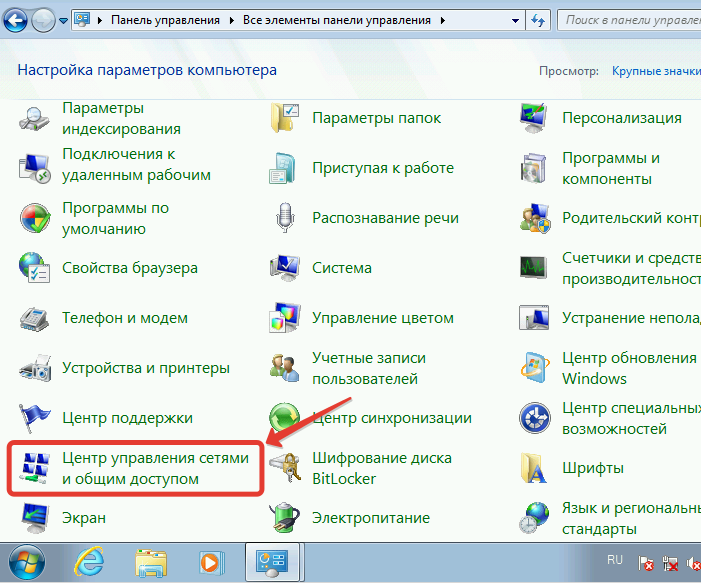
2. Choose "Network and Sharing Center"
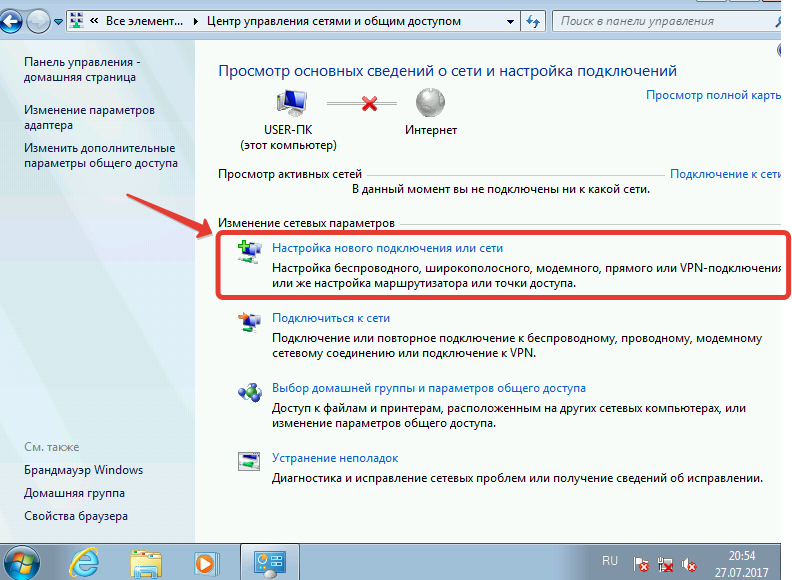
3. Choose "Set up a new connection or network"
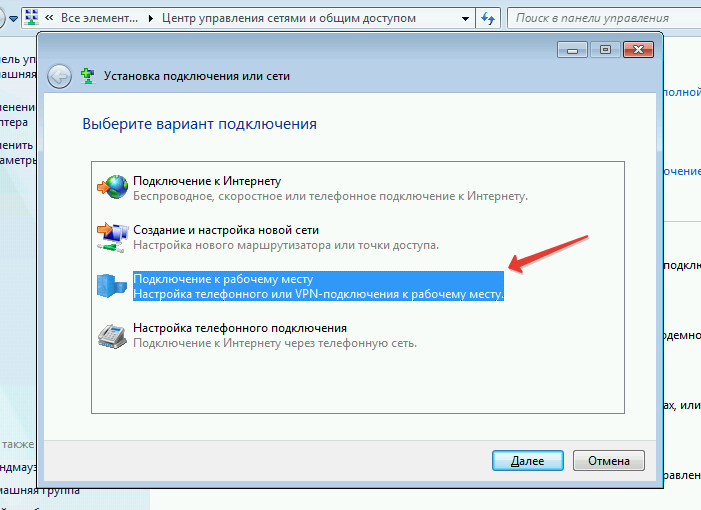
4. Choose "Connect to a workplace"
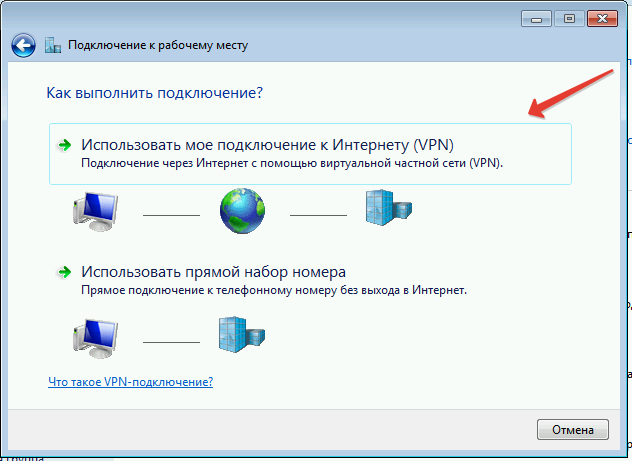
5. Click "Use my Internet connection (VPN)"
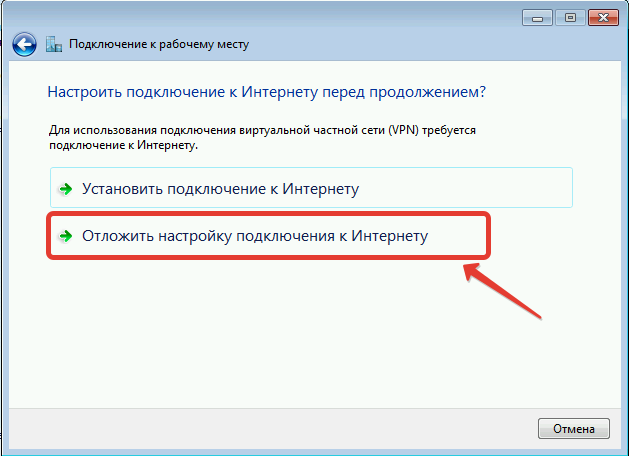
6. Windows offers to set up an Internet connection first — you already have one, so click "I'll set up an Internet connection later"
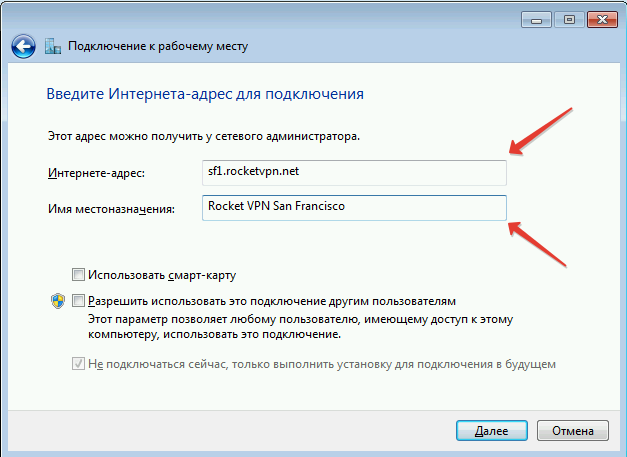
7. Enter the server address you received in your personal account after choosing a country
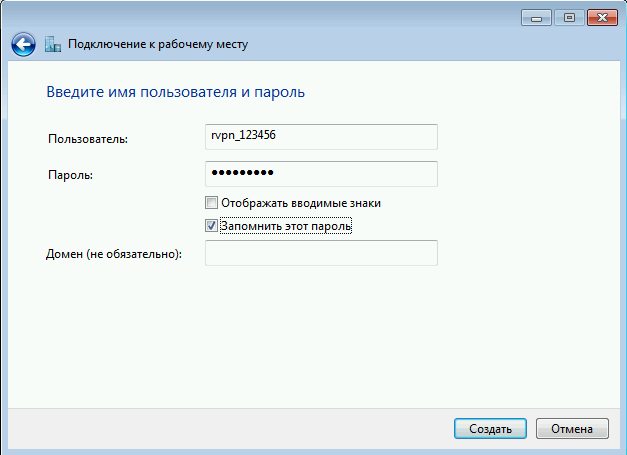
8. Enter the login and password from your personal account
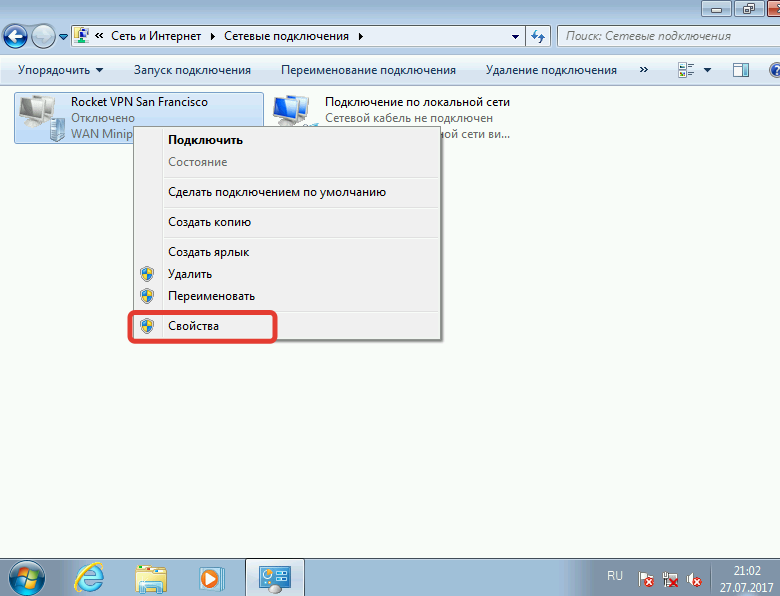
9. Once created, the Rocket VPN connection appears under "Change adapter settings". Right-click it and choose "Properties"
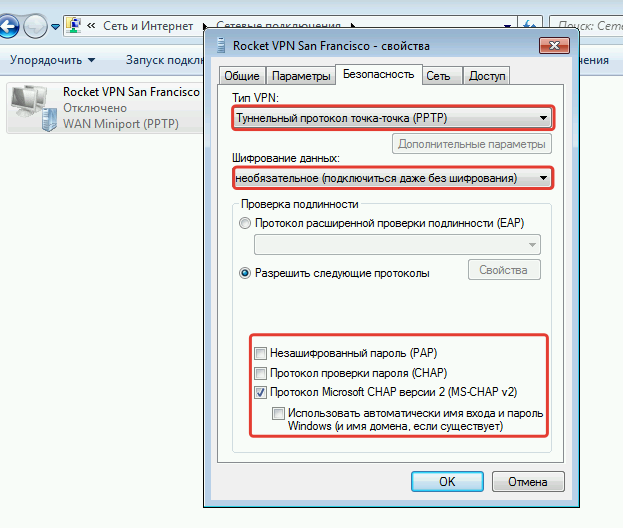
10. On the "Security" tab set every option as shown in the screenshot:
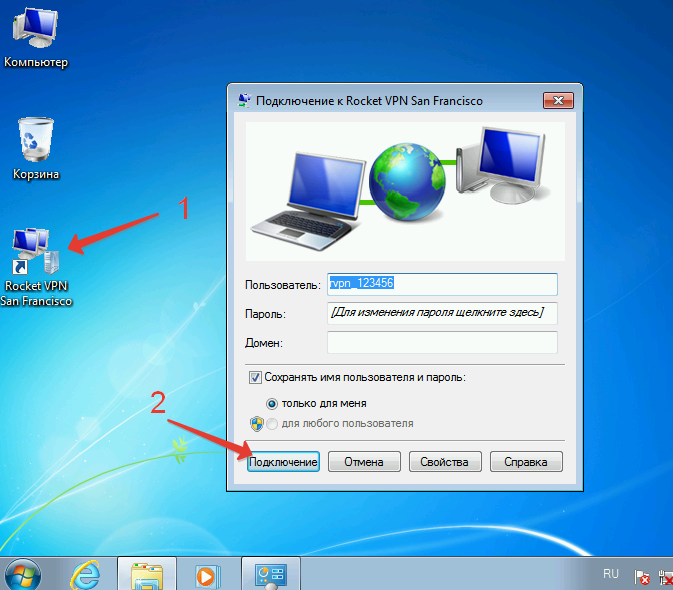
11. For everyday use create a shortcut — it will be placed on the desktop
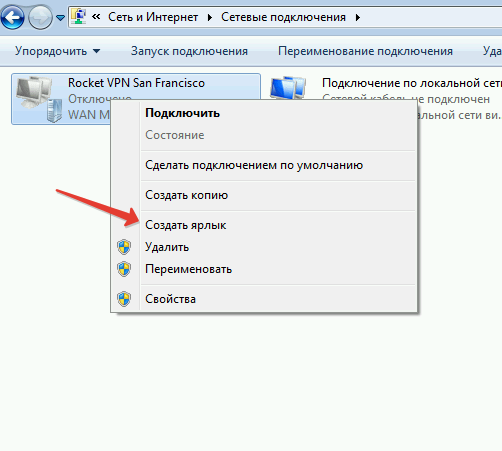
12. Launch the shortcut from the desktop and click "Connect"