




VPN Without an App: Built-In Setup for Every Device
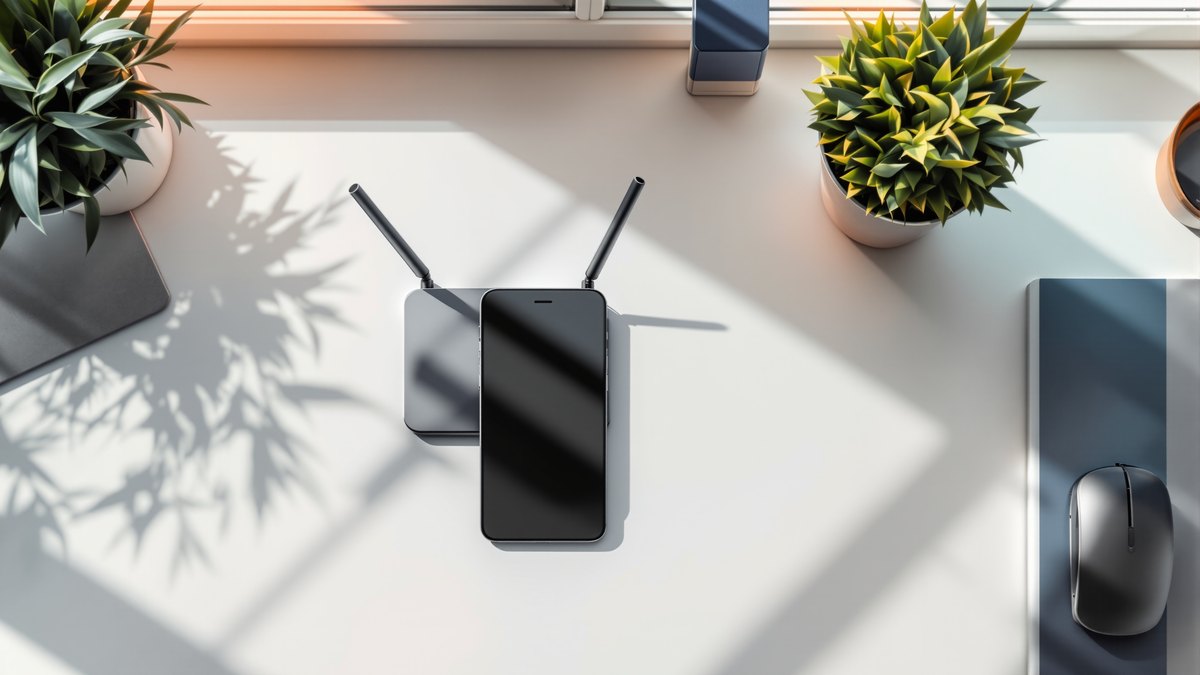
IKEv2 and L2TP are already built into iPhone, Windows, macOS, Android and most routers — no app required. Setup steps by device, plus what to do if they're blocked.
Your work laptop won't let you install anything outside the approved software list. Maybe your country's app store dropped VPN apps years ago, or the device sitting in front of you — a smart TV, a set-top box, a router — never had room for third-party clients in the first place. None of that rules out a VPN. The fix is already sitting inside the operating system, in the form of a protocol nobody has to download.
IKEv2/IPsec and L2TP/IPsec have shipped inside iOS, macOS, Windows, Android and most router firmware for well over a decade. Nothing to download. Open the system's own VPN settings, type in a server address, a username, a password, and connect — no app store, no install screen, no prompt asking permission to run unsigned software.
Who actually needs a VPN without an app?
These four situations turn up again and again, and they're not really the same problem — just the same fix:
- The app is gone from your store. Some regions have had VPN apps pulled from the App Store or Play Store entirely — there's nothing to download even if you wanted to.
- You'd rather not install third-party software at all. A background process outside the OS is a harder sell for IT policy, or plain trust, than a setting buried in the system itself.
- Smart TVs, streaming boxes, game consoles, most routers — none of them have an app store for VPN software to begin with.
- You're not a local admin on the machine you're using. Locked-down work laptops often block software installs but still allow a new network profile, since that counts as configuration rather than installation — though check with IT first, because some device policies lock the VPN settings screen too.
How do IKEv2 and L2TP work without a client?
Both protocols run through the operating system's own networking stack. What you're adding is a configuration profile, not a program. iOS, macOS, Windows and Android all have a native "Add VPN" screen that asks for the same handful of fields — server address, protocol type, username, password. Fill those in and the connection runs on code that's already part of the OS.
IKEv2/IPsec is the newer of the two, and the one worth reaching for first where it's available. It reconnects almost instantly when you switch between Wi-Fi and mobile data, which matters if you're carrying a phone around. L2TP/IPsec is older and slower, but it runs on nearly anything with a network stack, including devices and router firmware that never picked up IKEv2 support.
One thing worth checking before you start: some Android manufacturer skins bury IKEv2 under a differently worded option, sometimes just labeled "IPSec." If you don't see IKEv2 listed by name, look for an IPSec variant before deciding your phone doesn't support it.
How do you set this up on iPhone, Windows, macOS, Android or a router?

The exact menu wording shifts between platforms, but the shape of the process is the same everywhere: find the VPN section in system settings, add a new connection, choose IKEv2 or L2TP/IPsec, then enter the server address, username and password your provider gave you.
- iPhone and iPad. Settings → General → VPN & Device Management → Add VPN Configuration, then IKEv2. Full steps, screen by screen: iOS VPN setup.
- Windows. Settings → Network & Internet → VPN → Add a VPN connection, protocol IKEv2. Walkthrough: Windows VPN setup.
- On macOS, it's System Settings → Network → add a VPN connection. Apple's own documentation leans toward the L2TP path here, so that's the one most guides — this one included — actually cover: macOS L2TP setup.
- Android. Settings → Network & internet → VPN → Add VPN profile, then IPSec or IKEv2 depending on your version and manufacturer's skin (see the note above if IKEv2 isn't listed by that name). Guide: Android VPN setup.
- Router. Configure it once here and every device behind it is covered, no per-device setup — the practical answer for a smart TV, a console, or a household with too many devices to configure one by one. The common mistake is assuming any router can do this: check the firmware notes for IPsec or L2TP passthrough before you buy anything, since budget models often can't. Guide: router VPN setup.
Not sure which protocol fits your situation before you even start? The general overview at choosing a VPN protocol covers the trade-offs across all eight options, not just the two built in.
What can't built-in protocols do?
IKEv2 and L2TP are mature, well-documented protocols — which is exactly the problem in some places. Deep packet inspection systems have had years to learn what their handshakes look like and which ports they typically run on. In most countries none of that matters; the connection just works, no different from any other traffic on the network.
In regions with heavy, actively maintained filtering, it's a different story. L2TP is usually the first to get throttled or blocked outright, precisely because it's old and recognizable. IKEv2 holds up somewhat better but isn't invisible either. Worth checking before you give up on either one: some filtered networks block L2TP specifically while leaving IKEv2 alone, so if one fails, try the other before assuming neither will work. If you set up the built-in profile exactly as described and it still won't connect, or connects and then drops a minute later, that's usually not a mistake on your end — it's the filter doing its job.
At that point there's no way around installing something. Obfuscated protocols like AmneziaWG (a modified WireGuard that looks like plain UDP traffic to a filter) or V2Ray (which wraps traffic in TLS handshakes indistinguishable from ordinary HTTPS) exist specifically to avoid recognition. Both need a client app on the device. This piece is about skipping the app where you can — not a promise that you always can. Most global VPN brands solved the problem for themselves by dropping L2TP and IKEv2 entirely and shipping app-only WireGuard builds instead. Convenient for them, no help if you're the one looking for a no-app path — see which providers still support L2TP if that's what you're comparing. Routing L2TP through SoftEther specifically? The setup differs slightly from a standard IPsec profile — details at L2TP via SoftEther.
Built-in vs. app-based VPN, compared
| Platform | Built-in protocol | Client needed | Setup difficulty |
|---|---|---|---|
| iPhone / iPad (iOS) | IKEv2/IPsec | None — native Settings app | Easy, about 5 minutes |
| Mac (macOS) | IKEv2/IPsec or L2TP/IPsec | None — native System Settings | Easy, about 5 minutes |
| Windows | IKEv2/IPsec | None — native Settings app | Easy, about 5 minutes |
| Android | IKEv2/IPsec or L2TP/IPsec (varies by version) | None — native Settings, menu wording varies by brand | Easy to moderate |
| Router (most brands) | L2TP/IPsec or IKEv2, depending on firmware | None — covers every device behind it | Moderate, one-time setup |
| Smart TV / console / set-top box | Usually nothing built in | None directly — configure at the router instead | Depends on router step |
| Heavily filtered network | IKEv2/L2TP may be throttled or blocked | AmneziaWG or V2Ray client required | Moderate — app install needed |
Where do you get the server address, username and password?
RocketVPN's built-in-protocol path works like any other IKEv2 or L2TP setup: a server address, a username, a password, pulled from your account rather than a download. Sign up at rocketvpn.net/register and the credentials for every protocol are sitting in the account area at /cp/. Worth double-checking: copy the server address exactly as shown there. A stray character in that field is the single most common reason a freshly configured profile refuses to connect.
One subscription covers eight protocols — AmneziaWG, V2Ray, Hysteria2, WireGuard, OpenVPN, IKEv2/IPsec, L2TP/IPsec and Shadowsocks — switchable at no extra cost. That matters here specifically: if the built-in profile works fine where you are, use it and skip installing anything. If a filtered network blocks it later, switch to AmneziaWG or V2Ray from the same account instead of signing up somewhere else.
Coverage runs to 54 locations, including Moscow and St. Petersburg — uncommon among providers that also keep IKEv2 and L2TP alive. Plans: Bronze at $19.99/month (5 devices, all locations, unlimited traffic), Silver at $29.99 per 3 months (−55%, priority support), Gold at $39.99 per 6 months (−65%); details at pricing. RocketVPN keeps no browsing history, no connection timestamps, no DNS query logs. There's no RocketVPN app to speak of, either — IKEv2 and L2TP run through your device's own VPN client, and the other six protocols through third-party ones.
Frequently asked questions
Do I need to install anything to use a VPN on iPhone?
No, not for IKEv2/IPsec. It's built into iOS Settings under VPN & Device Management. You add a configuration with a server address, username and password — no app to install for that protocol specifically.
Is a built-in VPN protocol as secure as an app-based one?
Security isn't the weak point — IKEv2/IPsec and L2TP/IPsec are mature, widely audited protocols. The limitation is visibility: they're easier for filtering systems to recognize than newer obfuscated protocols, not easier to break.
Can I set up a VPN without an app on a smart TV?
Not directly — most TV operating systems don't expose VPN settings at all. The workaround is to configure the VPN at the router instead, which then covers the TV along with everything else on the network. See router setup.
Why won't L2TP connect on some networks?
L2TP's handshake and typical ports are well known to filtering systems, so on heavily filtered networks it's often the first thing to get throttled or blocked. Try IKEv2 first if that happens — some networks block only one of the two. If both fail, an obfuscated protocol like AmneziaWG or V2Ray is the next step, and that does require installing a client.
Does RocketVPN have its own app?
No. IKEv2 and L2TP connect through your device's built-in VPN client; the other protocols in the subscription connect through third-party clients rather than a RocketVPN-branded app.
Should I choose IKEv2 or L2TP/IPsec?
Pick IKEv2 where it's available — it reconnects almost instantly when you switch from Wi-Fi to mobile data, which L2TP doesn't handle as gracefully. Fall back to L2TP/IPsec on older devices, routers, or firmware where IKEv2 isn't offered.
Where do I get the server address and login details?
From the account area after signing up. Register at rocketvpn.net/register, then find the server address, username and password for each protocol in /cp/.
What's the quickest way to get connected?
- Check what your device supports natively — IKEv2 on iOS, Windows and most modern Android builds; L2TP/IPsec on almost anything else, including older routers.
- Sign up and open the account area to get your server address, username and password.
- Follow the platform-specific guide for exact menu steps: iOS, Windows, macOS, Android, or router.
- Add the VPN profile using IKEv2 or L2TP/IPsec with those credentials — no download screen at any point.
- Test the connection, and if you're on IKEv2, test again after switching from Wi-Fi to mobile data.
- If the connection won't hold on a heavily filtered network, switch to AmneziaWG or V2Ray from the same account — that step does require installing a client.