




Download Tor Browser and Setup Guide

Learn how to properly configure Tor Browser and find the best place to download it safely.
Notably, the Tor network's operation is maintained entirely by volunteers. It's supported by hundreds of programmers worldwide. Once you download Tor Browser, you get pre-configured software and a specially optimized version of the Firefox browser.
Overall, the capabilities of the "onion browser" are impressive—it blocks virtually all methods of tracking your traffic and keeps no logs of your internet activity. Additionally, malicious actors won't be able to obtain information about your computer's hardware or software. Beyond this, you remain anonymous online, meaning even your internet service provider won't be able to determine your computer or laptop's physical location.
What Tor Browser Bundle Can Do:
Let me break down the main features and capabilities of using Tor Browser.
- By default, you can use the anonymous Tor network.
- After installation, you can run Tor from a USB drive or any other portable media.
- When browsing through Tor Browser, you establish protection against online tracking and guarantee your freedom to access the information you need.
- The browser automatically disables or blocks the ability to save history, clears cache, and prevents cookie usage.
However, since this is a free solution, there are drawbacks to using Tor Browser after you download it. Essentially, the main and only downside is quite slow data transmission speeds. In practice, this means you can still view photos on social networks, but enjoying the next episode of your favorite Netflix series from the US would be nearly impossible—the speeds are just too low.
Remember that the encryption protocol in the Tor network allows you to remain anonymous online. However, the browser can't prevent malicious actors from obtaining valuable data. So when entering bank card information or other personal data on websites, pay careful attention and think twice about whether the service deserves your trust.
Download Tor Browser
Before proceeding with setup, you'll need to download it first. Here's the official link to the https://www.torproject.org/projects/torbrowser.html.en website, where updated versions are regularly added. Another interesting and useful feature from the developers: if a website is blocked in your country, simply write about it to gettor@torproject.org and you'll receive a reply email with a link to Tor Browser, usually hosted on Google Docs.
To download, go to the project's main page and click the large purple Download Tor Browser icon.
On the page that opens, select the English version for your operating system. Click on the necessary file and specify where to save it—I recommend downloading it to a portable USB drive.

Installing Tor Browser
Go to the folder where you saved the installation file for Tor Browser.
Double-click the file—for example, torbrowser-install-8.0.1_en.exe—and specify the path where you want to install the program package. Wait for installation to complete and click Run Tor Browser.

Configuring Tor Browser
In the window that appears, if you're in a country where Tor is blocked at the state level, select the Configure option and check the box for "Tor is blocked in my country," then click Connect.

If you're in a different region, you can click Connect directly, and the final configuration of Tor Browser will occur. This usually takes about 10 seconds and the browser will launch.
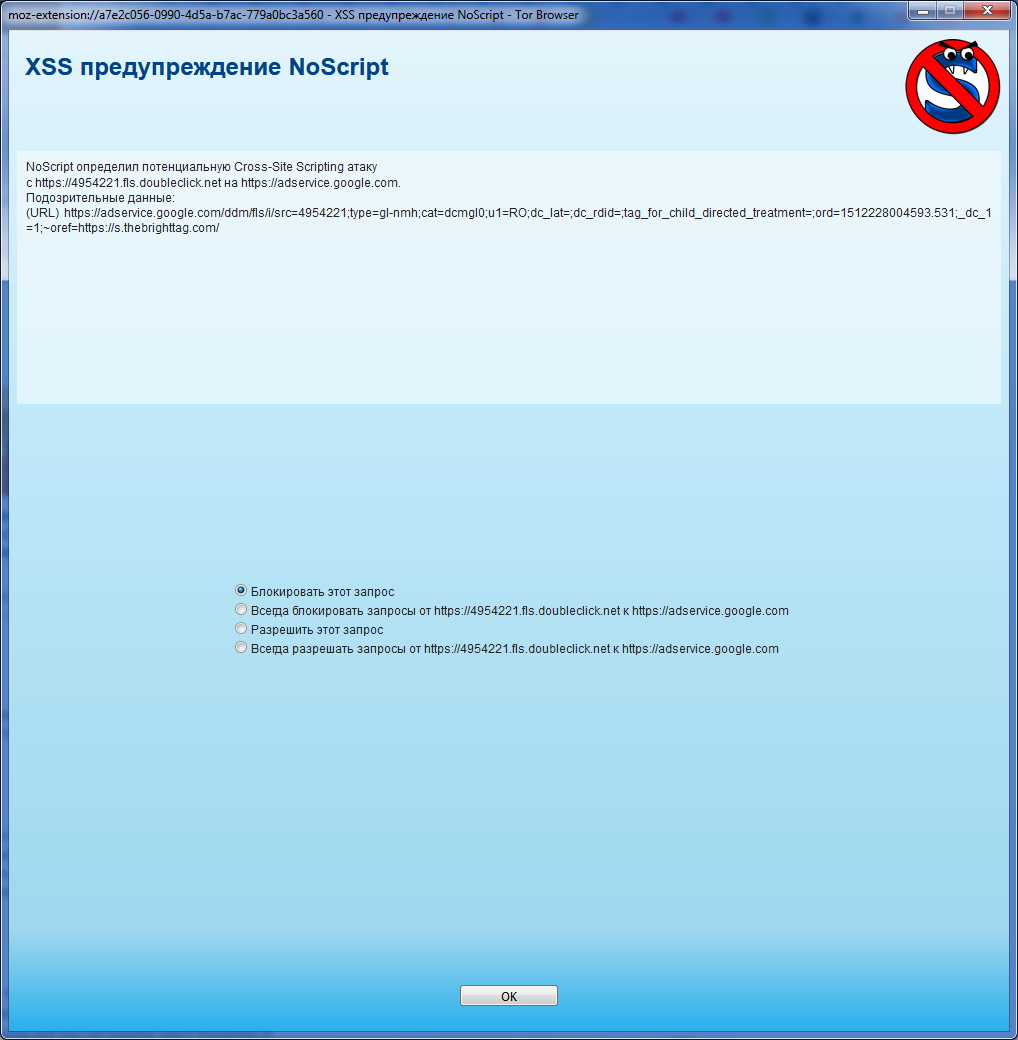
For example, when visiting Netflix using the built-in DuckDuckGo search engine, you'll immediately see the network in action, which blocks suspicious scripts in its assessment.
To truly confirm that you're using Tor and browsing anonymously, visit the developers' website at https://check.torproject.org/ and you should see confirmation that you're using Tor Browser and your new IP address.
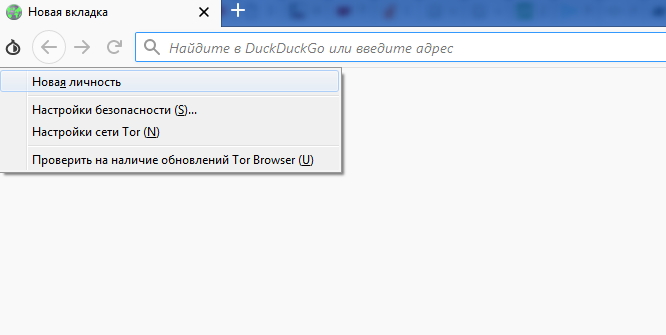
If you can't access a particular website right away, you'll need to get a new identity in Tor Browser. It's simple—create a "New Identity." Click the onion icon in the left part of the screen and press New Identity. Tor Browser will then close all previously open windows and reset all sessions, including cookies and such. After that, Tor will select a set of relays and you'll get a new IP address.
Did You Know...
One of the divisions of the United States Navy regularly uses Tor Browser when collecting statistical data. Additionally, Tor was used by US military forces in the Middle East.
Numerous law enforcement agencies worldwide use Tor to avoid leaving traces of government IP addresses on the resources they're monitoring. They access it specifically for checking services and websites. Also, periodically check for Tor Browser updates. To do this, click the onion icon again and select the bottom menu item "Check for Updates." You'll either see an updated version available or a message confirming you have the latest version.
Conclusion
So, what exactly do I need Tor Browser for?
Tor Browser is an innovative solution in the realm of internet freedom of speech, created by a dedicated team. You'll be able to bypass censorship and access fresh news or content that's restricted in your country.
Additionally, your local internet service provider won't know which websites you visit. You'll hide your real location from all users on the internet.
Remember that Tor Browser is not a VPN service—data will only be encrypted within Tor. This means your Skype or Telegram will still be open and accessible to all internet users at your regular address and physical location. Moreover, it makes sense to use Tor when accessing questionable websites or new resources you don't trust. Developers also remind you that it's better to visit resources that have already switched to the newer HTTPS protocol, which is more secure and helps protect personal data to the extent possible.
Download Tor Browser