




Best VPN for Torrenting – RocketVPN

Discover why RocketVPN is the best VPN service for safe and anonymous torrent downloads.
When sharing or downloading files, you expose your real IP address to all users. Additionally, a VPN lets you access previously blocked torrent sites. However, RocketVPN does not endorse piracy and recommends downloading only legally distributed files.
Leveraging years of expertise, RocketVPN has created optimal conditions for torrent downloading. Beyond this, the VPN secures your connection on public WiFi networks and protects P2P file transfers. When torrenting, you connect nearly directly to other users' computers, enabling simultaneous file sharing across hundreds of devices. Any user—including copyright holders—can see your IP address during this process.
Two critical factors matter when downloading torrents:
- Anonymity.
- High speed.
Users understandably want to keep their real location private when downloading torrents. Different countries have different views on intellectual property rights. That's why we recommend RocketVPN—a reliable service guaranteeing 100% anonymity online. Here's how it works: you access torrent sites and download through our servers, so websites and authorities only see our IP address, never yours. No one will ever know which resources you visited or files you downloaded.
Speed matters too, especially since many users download massive files via torrent trackers. We understand the strain this places on networks, so all our servers handle traffic spikes efficiently with substantial bandwidth capacity.
Setting up RocketVPN requires no programming or hacking skills—just follow our simple step-by-step instructions. In 2019, RocketVPN offered a unique service: remote computer access. Install the TeamViewer application via this link https://www.teamviewer.com/en/teamviewer-automatic-download/, then chat with our online consultant who'll guide you through the rest. You'll see every action on your monitor in real time, so there's nothing to worry about. Setup takes just 2–3 minutes.
If you're comfortable with computers and network connections, you can configure VPN independently on your PC for torrenting. First, register an account on our site. Next, choose and pay for your plan. In your account dashboard, you'll find your server address, login, and password. Then use your preferred application to set up VPN on your device.
Learn how to configure your connection here:
1. SoftEther VPN Client Connection – Recommended for Windows computers and laptops
2. Windows 7 Setup
3. Windows 10 Setup
4. MacOS L2TP Setup – Use for any version of MacOS X
5. MacOS OpenVPN Setup
6. iOS Setup
7. Android OpenVPN Setup
8. Router Setup
If you encounter any difficulties, message our online consultant in the chat or watch our detailed video tutorial.
Watch our video guide for connecting to our network:
How RocketVPN Protects You for Torrenting!
Our service ensures anonymity while torrenting. It's no secret that internet service providers log all user activity. But with a RocketVPN server, all data transmitted from your computer is encrypted—including torrent uploads and downloads.
Your real IP address is hidden and replaced with ours, so no one learns your actual location. Some ISPs even block the BitTorrent protocol entirely, preventing any torrent downloads on their networks. Such strict controls hurt legal distributions most. VPN encryption gives you access to the content you need.

Is There a Free VPN for Torrenting?
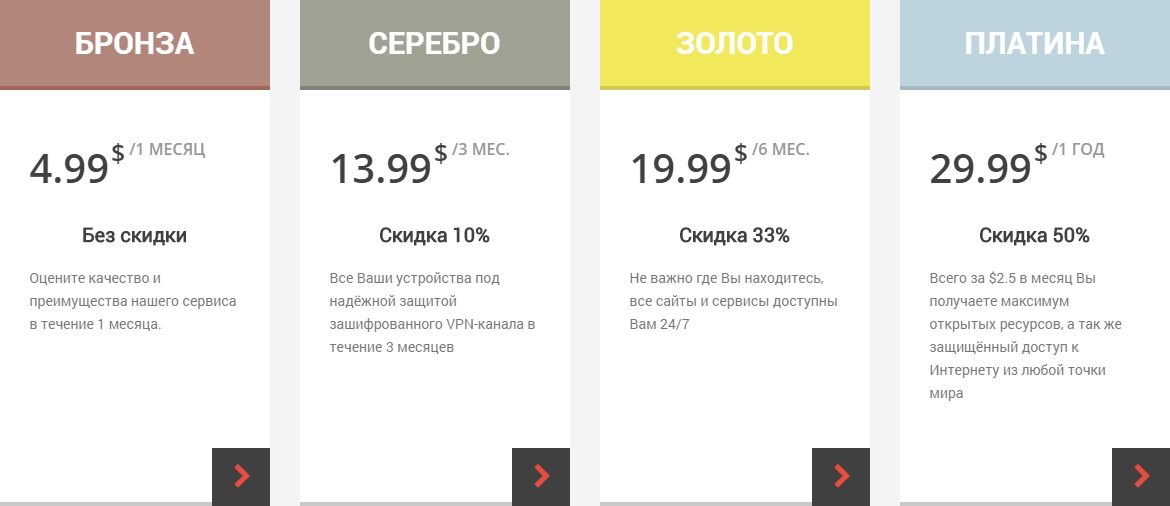
Maintaining quality servers with sufficient bandwidth is expensive. No one offers this for free, and all free services deliver poor speeds with unclear confidentiality guarantees. There is no truly reliable free torrent VPN service today. RocketVPN's paid plans, however, guarantee safe P2P file sharing.
RocketVPN Service Benefits:
- High download speeds (no more than 10% loss).
- Military-grade encryption for your personal data.
- Multi-login feature (up to 5 devices).