



macOS PPTP Setup — Rocket VPN
Step-by-step guide to set up a PPTP VPN connection on a Mac.
Setting up macOS for a PPTP connection
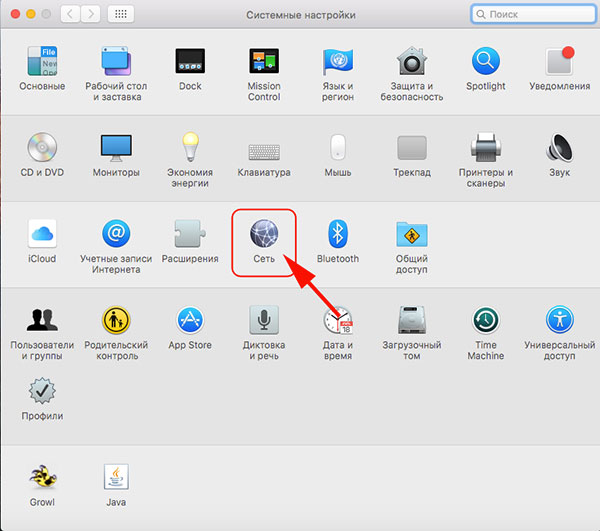
1. Open System Preferences and click "Network"
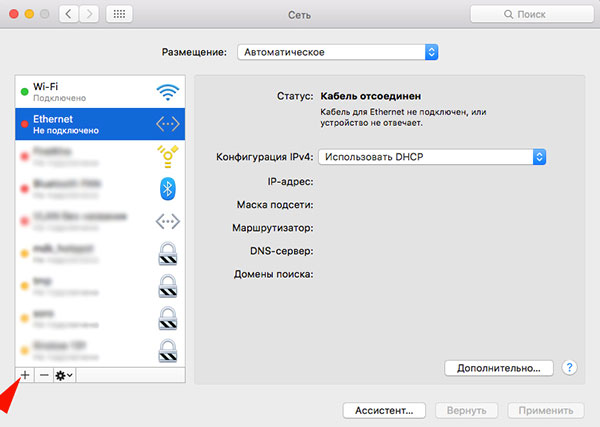
2. Click "+" in the bottom left corner to add a connection
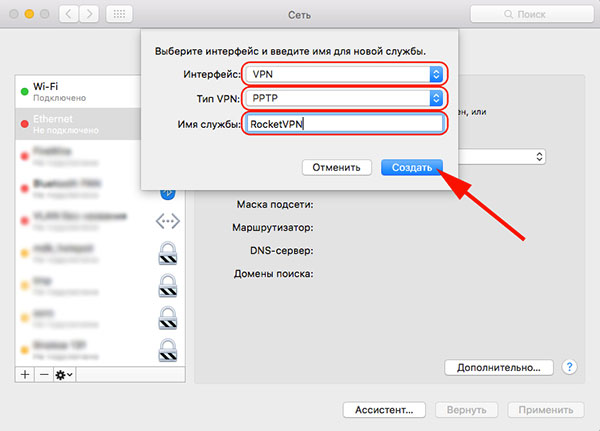
3. Choose VPN as the interface
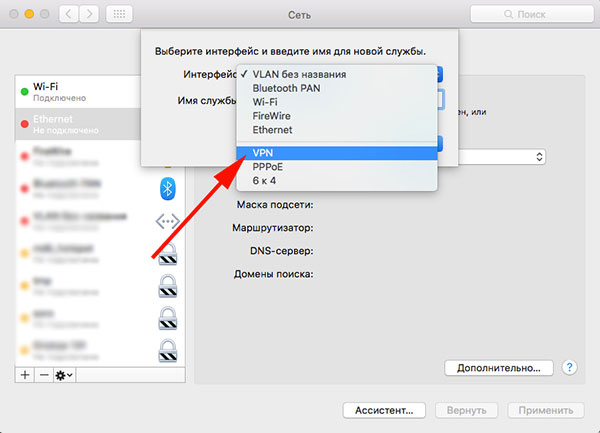
4. Choose the VPN type, name the service RocketVPN and click "Create"
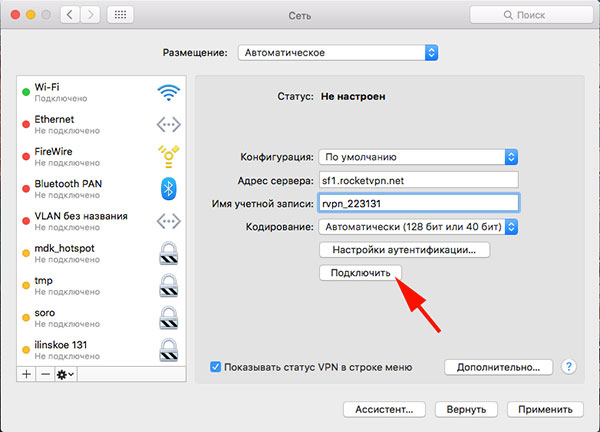
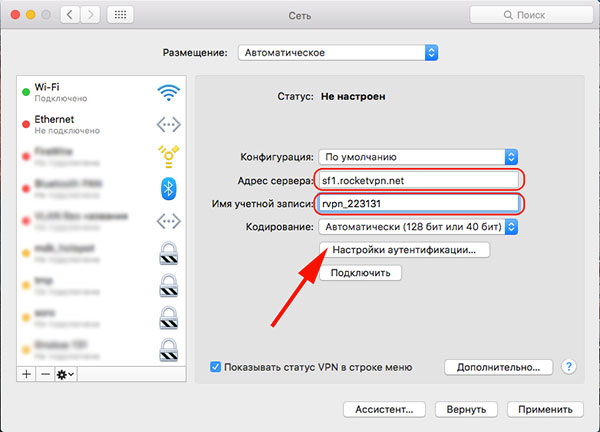
5. Enter the server address and login from your personal account
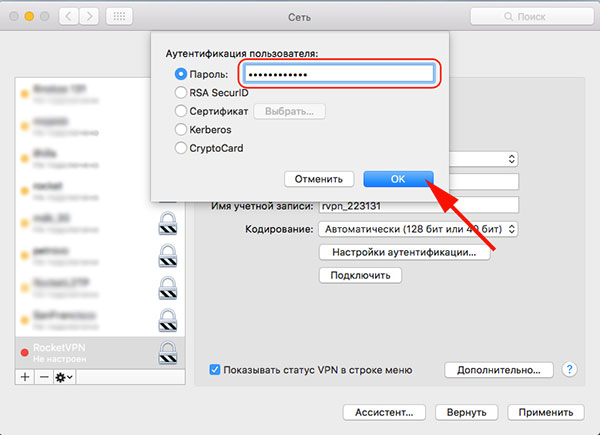
6. Enter the password from your personal account and click OK
7. Click the "Advanced" button
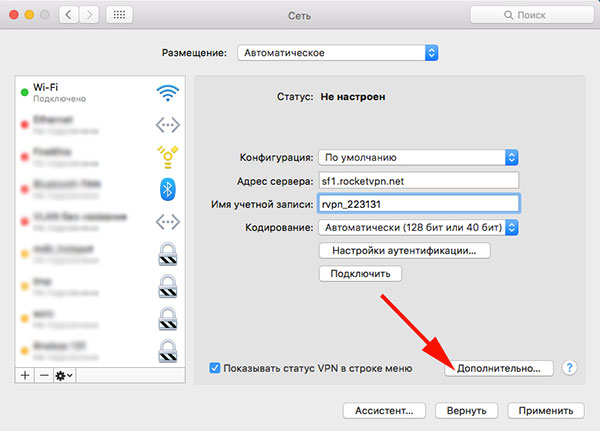
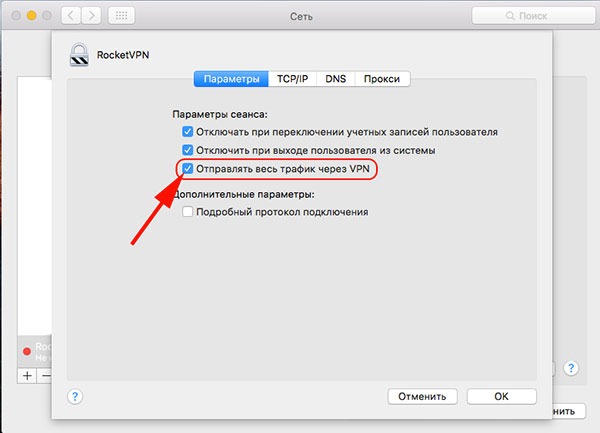
8. Tick the boxes as shown in the screenshot
9. Click "Connect" — you are all set